> For the complete documentation index, see [llms.txt](https://docs.bugbase.ai/llms.txt). Markdown versions of documentation pages are available by appending `.md` to page URLs; this page is available as [Markdown](https://docs.bugbase.ai/company-guide/navigation.md).
# Navigation
Here is an overview for navigation that can be found in the Bugbase platform
### **Insights Dashboard**
The insights dashboard provides a **comprehensive overview** of **vulnerabilities** throughout all the programs with the help of **graphs**, **charts** and **risk statistics** to improve security practices.
{% content-ref url="/pages/khuNinhRSsg6GMasZsmw" %}
[Insights Dashboard](/company-guide/insights-dashboard.md)
{% endcontent-ref %}
### **Assets Dashboard**
The Assets Dashboard in Bugbase allows program managers to easily manage and **track** their assets, with features like **adding**, **editing**, **deleting**, and **labeling assets** to improve understanding.
{% content-ref url="/pages/csMKsT2QZY0Rdi7O6X5z" %}
[Assets Dashboard](/company-guide/assets-dashboard.md)
{% endcontent-ref %}
### View All Programs
Programs section in BugBase allows program managers to view all ongoing and under review programs. It also allows them to sort programs based on their types, making it easy to find and manage specific programs.
{% content-ref url="/pages/F5Nh96UcXaqTHwdTFkuy" %}
[Programs Dashboard](/company-guide/programs-dashboard.md)
{% endcontent-ref %}
### **Billings & Plans**
All the billings, transactions history, add-ons in one place. Companies can upgrade their tiers and purchase add-ons from this section.
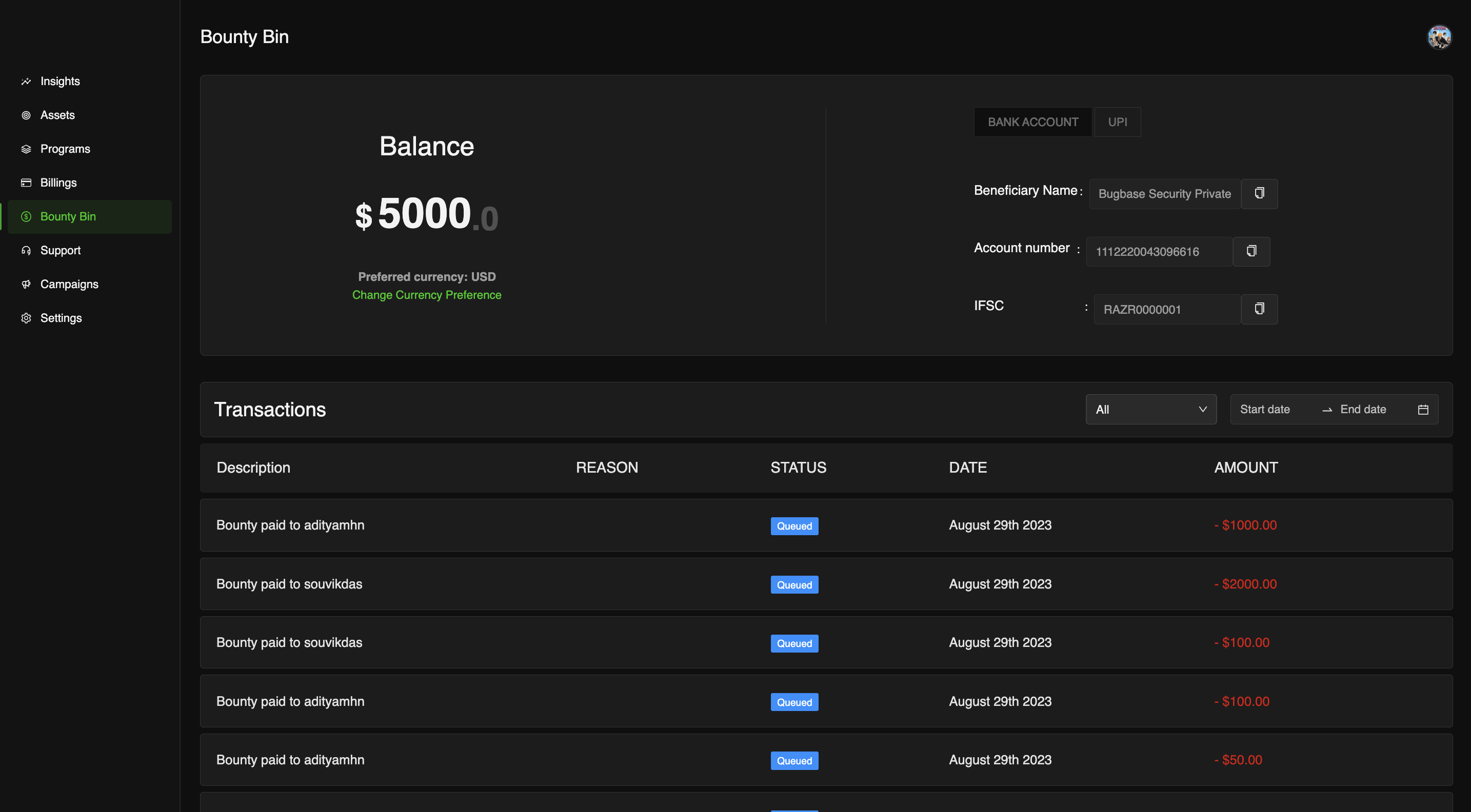
### Bounty Bin
Companies can manage their **payouts** via this page, **top-up** their bounty bin amount and start **paying out** researchers
Bounty Bin
{% content-ref url="/pages/HVLiTTFuVOJunmeR6Jnk" %}
[Bounty Bin](/company-guide/bounty-bin.md)
{% endcontent-ref %}
### Company Settings
Companies can edit their **profile**, **manage passwords**, **manage members** in their **organisation**, **manage access** to programs from their settings
{% content-ref url="/pages/UZ9q9OmqikUbDJYNfwsv" %}
[Company Settings](/company-guide/company-settings.md)
{% endcontent-ref %}